Scope
Steps to reply to a parent from Incoming.
Instructions
-
Go to Incoming > select the relevant reply.
-
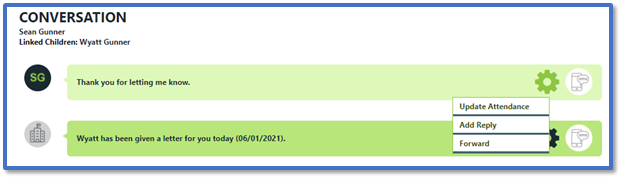
In the Conversation thread, click on the reply’s cogwheel icon.
-
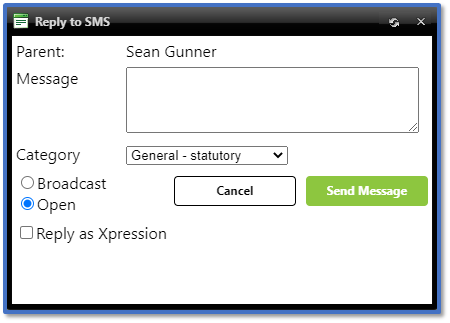
Select Add Reply to open the Reply to SMS window.
-
In Message, enter the reply that you want to send back to the parent.
-
Select Broadcast to prevent further replies or Open if you want the parent to reply. Read our guide for further information about these message types: Messenger: Broadcast, Open, and Closed SMS.
-
Tick Reply as Xpression if the parent has the app - it will be ticked by default if their Incoming message was sent via Xpressions originally. Read our guide for further information: Messenger: Xpressions and Enhanced Xpressions.
-
Click Send Message.


