Scope
Steps to check on replies received from parents for your Open and Closed messages.
Instructions
Read our guide for information regarding Open and Closed messages: Messenger: Broadcast, Open, and Closed SMS.
-
Go to Incoming.
-
Incoming shows messages that have been sent to the school, divided into two sections:
-
Known Contacts: Messages sent from a mobile number that belongs to a contact in your Messenger account.
-
Unknown Contacts: Messages sent from a mobile number that does not belong to a contact in your Messenger account. These are usually parents texting the school from a new number or a different phone, or someone who has texted the wrong number by mistake.
-
The table will show the list of your incoming messages with the following fields:
-
Status: Whether the message is Read or Unread. The total number of Unread messages appears on Incoming’s red badge icon.
-
Name: The name of the parental contact.
-
Regarding: The name of the student.
-
Subject/Summary: The contents of the reply.
-
Category: Could be a general message, related to a survey or attendance.
-
Received: The date and time the reply was received.
-
Attendance Updated: Read our guide for further information: Messenger: Writeback Attendance from Incoming.
-
The Show Messages From drop-down controls what messages are displayed in the table:
-
Today: Replies received today.
-
Last 7 days: Replies received in the last week. This is the default.
-
Last 30 days: Replies received in the last month.
-
This Academic Year: Replies received since the start of the current academic year.
-
All: Every reply ever received.
-
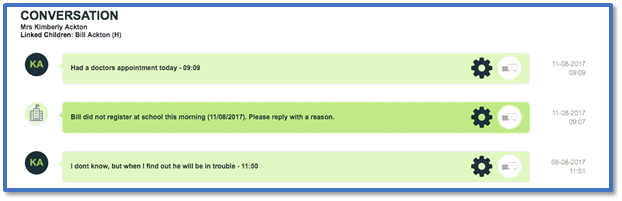
Select a reply to open the Conversation section and show the history of messages sent to and from that contact. Read our guides for further information: