Scope
Steps to add a new user from Manage Users.
Instructions
-
Go to Tools > Users > Manage Users.
-
Click Add User > Add a New User.
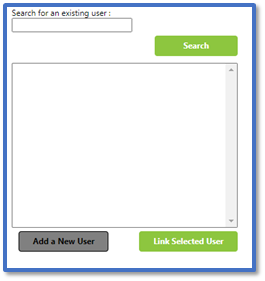
-
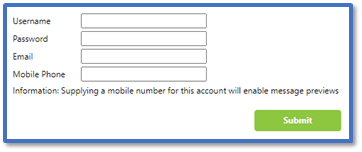
In Username and Password, enter the credentials that the new user will be able to log in with.
-
In Email, enter the staff member’s work email address used for resetting forgotten passwords. Read our guide for further information: Messenger: Reset Your Forgotten Password.
-
In Mobile Phone, enter the staff member’s mobile number used for previewing messages. Read our guide for further information: Messenger: Send Advanced Messages.
-
Click Submit.
-
In Assign Roles to User, there are three tabs:
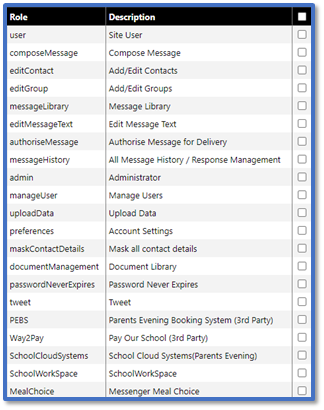
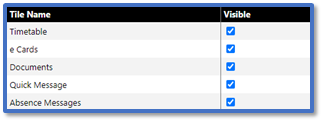
-
Click Submit.
-
Provide the user in question with their login details for Messenger.


